Connect your AI
Use Sifrsys from Claude or ChatGPT. Once it's connected, your assistant can create a data room, organize the files you approve, set up who can see what, and answer questions with citations to the source. By default, invitations wait for your approval.
The Sifrsys address
https://sifrsys.com/mcp
ChatGPT asks for it when you add Sifrsys. Claude’s directory already has it. Paste this address, then sign in to Sifrsys and approve the connection.
Claude
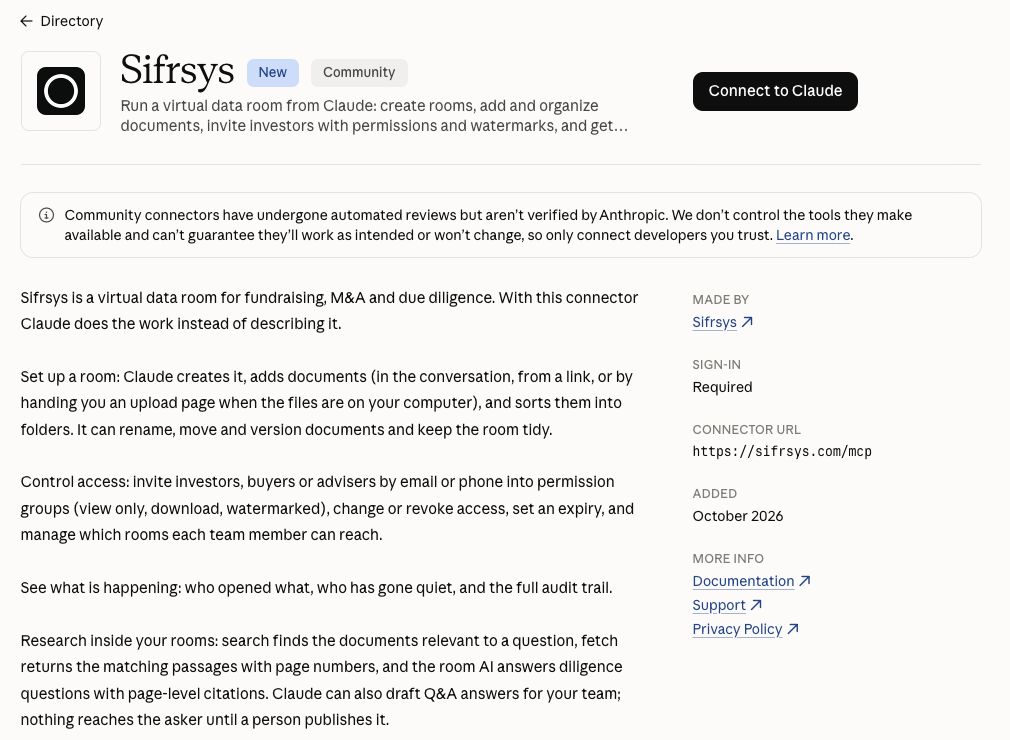
Available in Claude’s connector directory.
Prefer to add it by hand, or Claude says your organization has to allow it first? The Claude guide covers adding Sifrsys as a custom connector with the address above.
Open Sifrsys in Claude’s directory
Sign in to Claude first if it asks.
Select Connect to Claude
Sifrsys is marked Community: it is a listed community connector. Claude notes that community connectors have automated reviews but aren’t verified by Anthropic.
Sign in to Sifrsys and authorize
A Sifrsys page opens. Sign in, or create an account. If you belong to more than one organization, choose the one to connect. The page lists what Claude will be able to do; select Authorize.
Start a new chat
Sifrsys is now available in Claude. If it doesn’t respond to a request, open the + menu, choose Connectors and check that Sifrsys is switched on. Then give it a first task.
ChatGPT
Manual setup on the web. Our listing in ChatGPT’s directory is under review.
Turn on Developer mode
On chatgpt.com in a web browser, open Settings → Security and login and turn on Developer mode. Whether you see it depends on your plan and, in a company workspace, on your admin.
Open ChatGPT Plugins and select Add
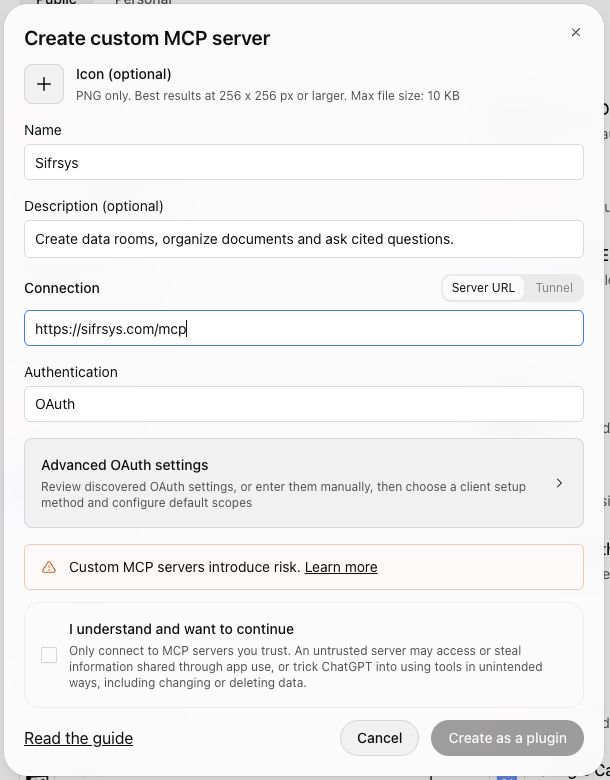
A form titled Create custom MCP server opens. Nothing is added until you finish it.
Fill in the form
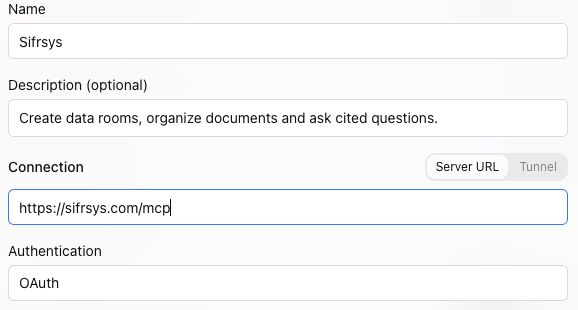
- Name
- Sifrsys
- Description
- Create data rooms, organize documents and ask cited questions.
- Connection
- Keep Server URL selected and paste the address.
Paste into Connection
https://sifrsys.com/mcp
Create it
Authentication should show OAuth; leave it and the advanced settings as they are. Read ChatGPT’s notice, tick I understand and want to continue, then select Create as a plugin.
Sign in to Sifrsys and authorize
A Sifrsys page opens. Sign in, choose the organization if you have more than one, check what ChatGPT will be able to do, and select Authorize.
Start a new conversation
Open the + menu and add Sifrsys from the tools there. Then give it a first task.
On your phone. Set it up on the web, then use Sifrsys from the same ChatGPT account or workspace in the mobile app. In a company workspace, your admin’s settings decide what’s available (OpenAI on apps and connectors (opens in a new tab)).
Steps follow OpenAI’s Connect from ChatGPT (opens in a new tab) guide, checked 4 October 2026. If ChatGPT moves a menu, the labels on its screen win.
Give it a first task
Paste this into a new chat once Sifrsys is connected. It asks your assistant to let you choose the files, check the folders and approve the invitations. Files you attach to the chat aren’t added to Sifrsys automatically, so your assistant may hand you an upload link.
Raising a round? The fundraising brief helps your assistant draft the story from your own files first.
Using Sifrsys, help me set up a data room for our fundraise.
1. List my Sifrsys data rooms and ask whether to use one of them or create a new one.
2. Ask which files I have approved for sharing. If you can't add them from here, give me the room's upload page link and wait until I tell you they're uploaded.
3. Propose a folder structure and show it to me before moving anything.
4. Ask who should be able to view or download each folder. Prepare the invitations, then wait while I approve them in Sifrsys.
5. When the documents have finished processing, ask the room AI whether our CAC payback is calculated before or after gross margin, and show me its citations.
If something isn't in the documents, say so and ask me. Don't fill gaps with assumptions.
What your assistant can do in your rooms
- It works as you. It reaches only the rooms and documents your Sifrsys account can, in the organization you chose when you signed in.
- By default, invitations and wider access wait for approval. Sending invitations or changing who can view or download is held until someone approves it in Sifrsys, and deleting is switched off. An admin can change these rules for the organization.
- Document text is treated as untrusted. Sifrsys passes text from documents to your assistant marked as room content, not as instructions. Whatever your assistant does is still limited by your account’s access and your organization’s approval rules.
- Everything is on the record. Each action is attributed to you in the room’s audit log. Disconnect at any time in Sifrsys under Settings → Agents & API → Connected apps.
How Sifrsys handles a malicious document, with the approval rules in full, is in the technical reference.
If something doesn’t line up
- I can’t find Developer mode in ChatGPT
- It’s under Settings → Security and login, on chatgpt.com in a web browser. Not every plan has it, and in a company workspace an admin may need to allow it.
- I connected the wrong organization
- In Sifrsys, open Settings → Agents & API → Connected apps and revoke the connection. Connect again from Claude or ChatGPT and choose the other organization on the Sifrsys sign-in page.
- My files are on my laptop
- The Sifrsys connection can’t read files from your computer. Ask your assistant for the room’s upload page, upload the files there in your browser, and tell it when you’re done. A file at a public web link can be added from the link instead.
- It doesn’t know about something Sifrsys can do
- Assistants read what Sifrsys offers when they connect. In ChatGPT, open the Sifrsys connection on the Plugins page and select Refresh. In Claude, disconnect Sifrsys under Customize → Connectors and connect it again. Then start a new chat.
API and developer reference
For Claude Code, Cursor, Codex, your own scripts, webhooks and the full approval rules. You don’t need any of it to connect Claude or ChatGPT.